View Invoice
Select the View Invoice option from the Actions column on the Invoice Listing pages to open the invoice to the Invoice Summary.
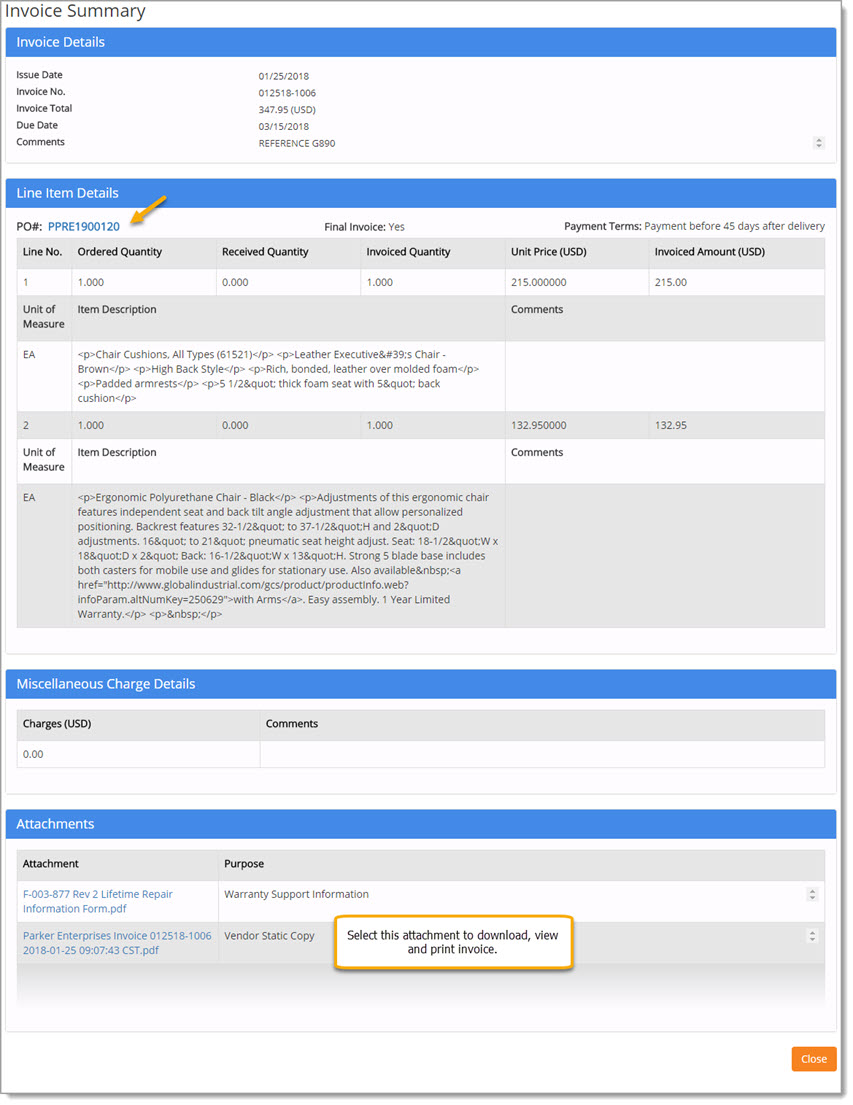
This page provides visibility into Invoice Details, Line Item Details, Miscellaneous Charge Details, and Attachment Details, if any.
In the Line Item Details section, the associated purchase order number or numbers will be listed.
The PO# is an active hyperlink and may be selected to view the PO Details.
See the PO Details topic to learn more.
If Attachments are part of the Invoice, the Attachment name is an active hyper link and may be selected to open the attachment for viewing.
On invoices that have been Submitted, the Attachments section will contain a static PDF copy of the invoice.
Click the hyper linked invoice to download, view details, and print a hard copy as needed.
Click Close to return to the Invoice List page.
