Approve Multiple Documents at One Time
If your organization has this feature enabled, you may select up to 10 documents on the displayed Approval Inbox page and approve with a single click.
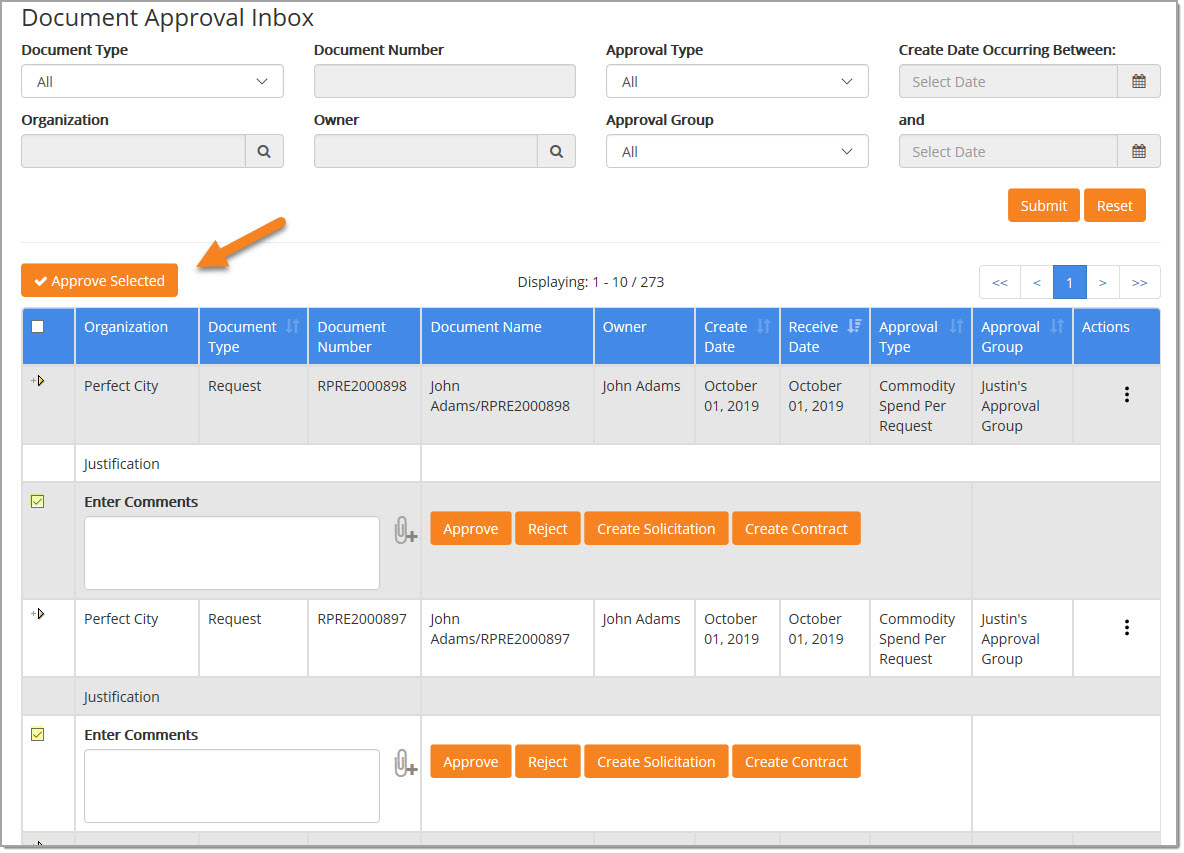
NOTE: The ability to approve up to 10 documents at a time, requires the assistance of an internal Proactis Customer Operations Manager to enable.
The number of documents that appear per each Approval Inbox page is ten(10). For those customers that would like to be able to select up to ten documents at a time to approve, select the documents and click Approve Selected.
Approve Selected
To select multiple documents for approval, click the check box located to the left of each Enter Comments text box in the document row.
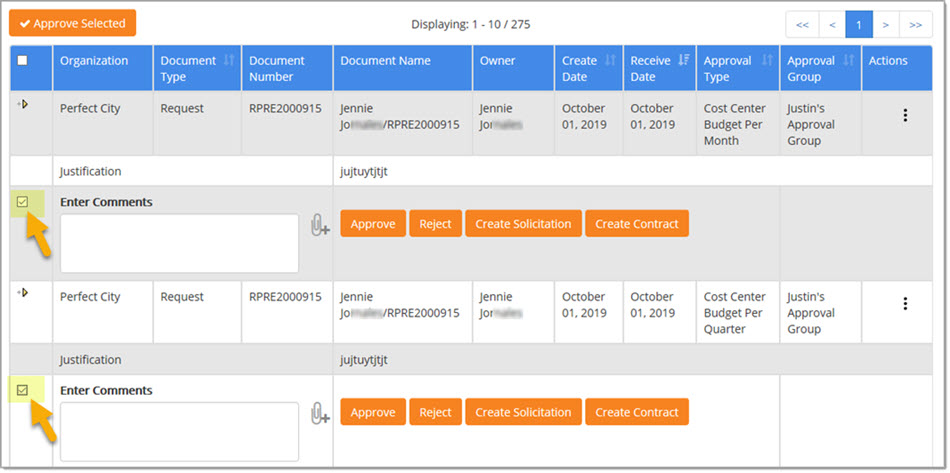
Click Approval Selected.
Processing
A processing modal window will open. See example image below:
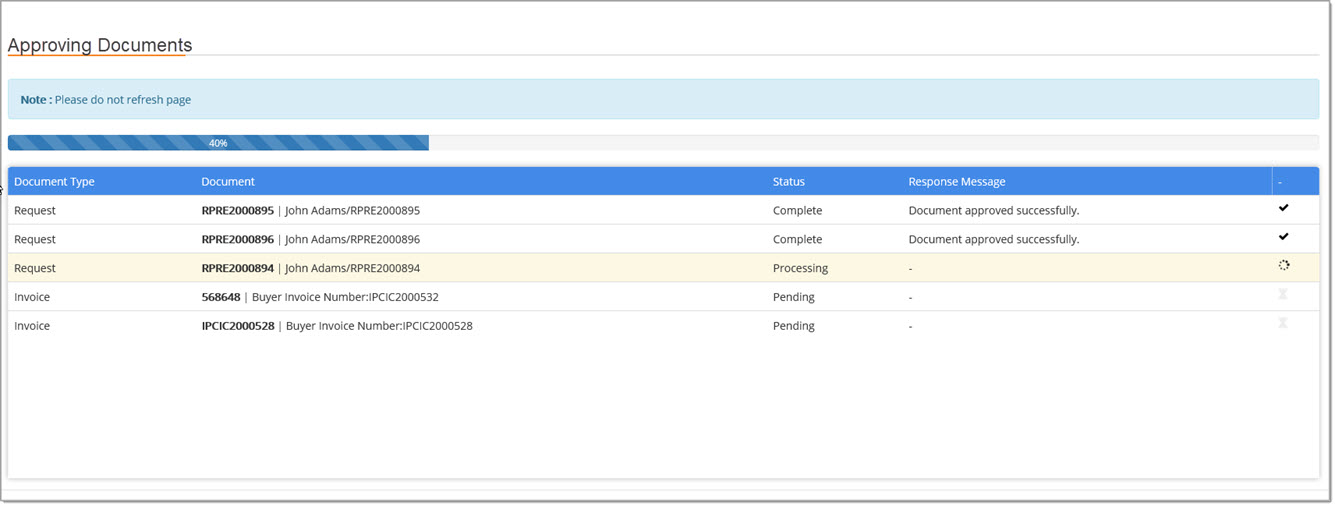
As each document is processed, the Status will update and the Response Message will capture whether or not the document was successfully approved or it will relay a message stating why the document could not be approved.
Individually Approve / Skipped Documents
The following example image represents what happens when one or more of the selected documents cannot be approved.
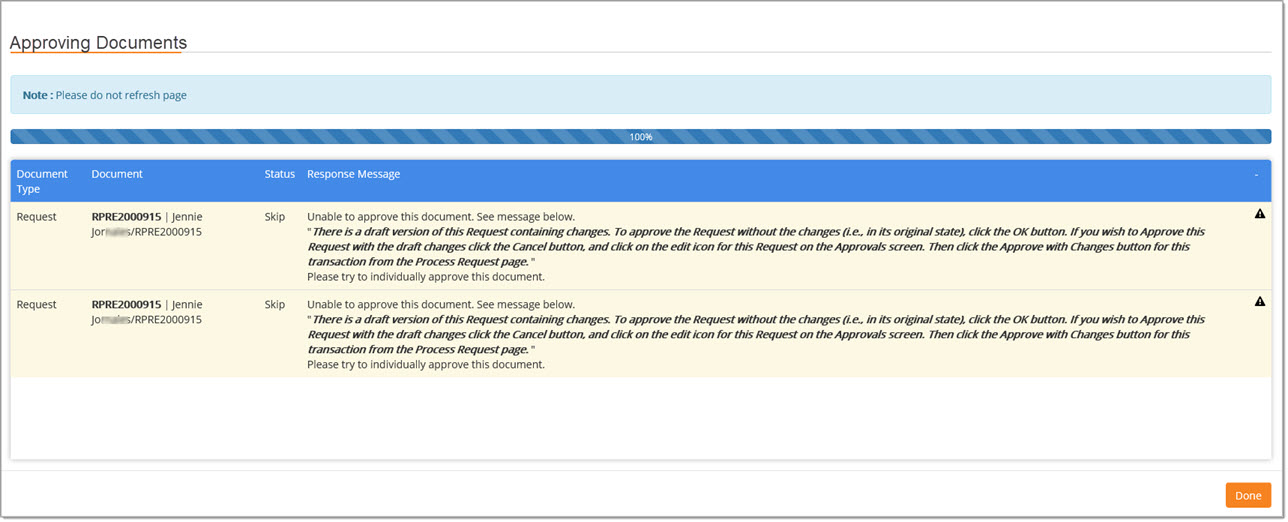
The Response Message will vary based on the reason that document could not be approved using the multiple approval process.
One scenario is captured in the the above image. It displays the following Response Message:
- Unable to approve this document. See message below.
"There is a draft version of this Request containing changes. To approve the Request without the changes (i.e. in its original state), click the OK button. If you wish to Approve this Request with the draft changes click the Cancel button, and click on the Edit icon for this Request on the Approvals screen. Then click the Approve With Changes button for this transaction from the Process Request page."
Please try to individually approve this document.
The Status of the document will display as Skip.
Click Done to return to the Approval Inbox page; locate individual documents that were not approved during the multiple document approval process and approve individually as needed.