Multiple Active Sessions
WebProcure Administrators have multiple options for managing the behavior of the application when a user account is logged into concurrent sessions.
This is managed by them in the Admin module.
The following images represent what you may see, depending on those selected settings chosen by your WebProcure Administrator.
Allow User to Have Concurrent Logins
If the WebProcure Administrator enabled this condition, they have the option to determine the output/behavior.
Show Warning Message
If Show warning message was selected, the administrator may customize a warning message that notifies you that you have multiple active sessions. It is simply a warning message to advise of other active sessions under same user credentials.
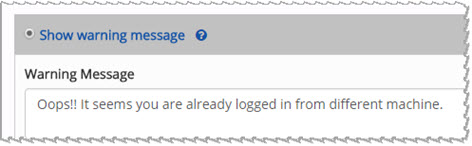
Below is a sample image of what you will see if the Show warning message option is chosen:
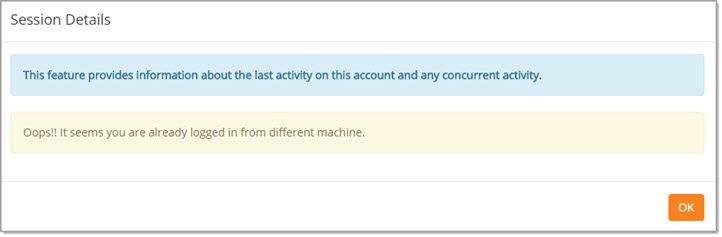
Click OK to acknowledge the warning message that you have other sessions open under your same user credentials.
Show Confirmation Message
If Show confirmation message was selected, the administrator may customize a confirmation message that identifies the IP Address of the other session or sessions and allows you to ignore those multiple sessions or request the system to end the other open sessions.
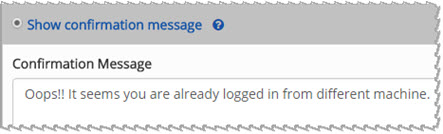
Below is a sample image of what you will see if the Show confirmation message option is chosen:
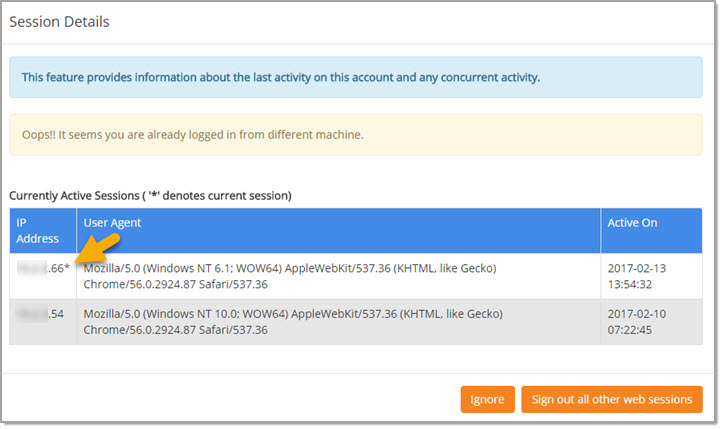
Click Ignore to close the confirmation message and keep all active sessions open.
Click Sign out all other web sessions to close other active sessions and keep only the active one, as indicated by an asterisk (*), open.
Remove Other Active Logins
If Remove other active logins is selected, the system will allow you to log in, however, the system will also automatically close any other active sessions that you have open.